Changelog

Follow new updates and improvements to ShortsNinja.

December 25th, 2025

You can now create video series without connecting any social media accounts πŸ”“
Your videos will still be generated automatically on your schedule ⏰ , they just won’t be published anywhere.

This is perfect if you want to:

  • πŸ“š Build a content library in advance

  • πŸ‘€ Review and approve videos before going live

  • πŸ›  Use ShortsNinja purely for video creation

To enable this, simply leave the social accounts field empty when creating a series.

December 21st, 2025

We’ve just launched the Top-Up Credits feature so you never run out of credits while creating videos! Now you can purchase additional credits directly from your dashboard whenever you need more β€” without waiting for your monthly subscription renewal.

Details:

  • πŸ’³ Instant Credit Purchases β€” Buy extra credits on-demand right in the app.

  • πŸ“¦ Flexible Packs β€” Choose from multiple credit pack options (small to large).

  • πŸ“Š Credit Balance Display β€” See your current credits and recent top-ups at a glance.

Where to find it:

Go to Dashboard β†’ CreditsΒ and tap Top-Up Credits to view available packs and complete your purchase.

Happy creating! πŸš€

December 20th, 2025

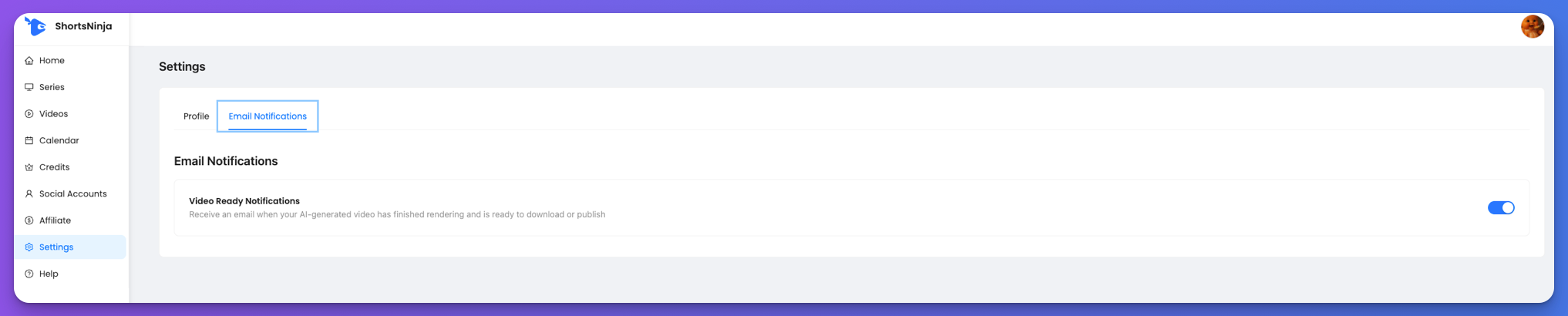
You can now choose whether to receive email notifications when your videos finish rendering.

More improvements and features are coming soon ✨

December 20th, 2025

You can now view all your videos in a calendar, organized by creation or publish date, with daily, weekly, and monthly views.

This is just the start β€” many more features are coming soon ✨

October 7th, 2025

You can now upload your own background music when creating or editing a series! 🎡

Details:

  • Added an β€œUpload Custom Audio File” option under the Background Music section.

  • Supports uploading audio files directly from your device.

  • Perfect for creators who want to use unique or branded soundtracks.

Where to find it:
Go to Series β†’ Background Music β†’ Upload Manually and click Select Audio File.

July 26th, 2025

πŸ•’ Manual Posting Time Selection:
When setting up a series, you can now pick the exact times you want your videos to be publishedβ€”no more relying only on platform defaults!

βš™οΈ How To Use

  1. Edit or create a series

  2. Open the β€œPosting Schedule” modal via the button in posting frequency section

  3. Select up to 3 posting times per day

  4. Save and your automation will use these slots for every video

June 21st, 2025

✨ Smarter Publishing

You can now connect multiple social accounts to a single Series, one per platform (e.g., one YouTube, one TikTok). This gives you more control and flexibility over where your content gets published.

πŸ—“οΈ More to Come
Soon you'll be able to choose specific days and times for your Series, giving you full control over your content calendar.

May 31st, 2025

We’ve added a brand new Help Guide for ShortsNinja!
Now you can get step-by-step instructions and visuals for every part of the app.

πŸ†• What’s New:

  • βœ… Getting Started guide for new users

  • βœ… How to Create a Video

  • βœ… How to Create & Edit a Series

  • βœ… Series Automation Rules β€” explained in detail

  • βœ… Video Editor Overview

  • βœ… Dedicated docs for all Editor Tabs:

    • Global Scene

    • Thumbnail

    • Scenes

    • Captions

    • Subtitles

    • Voiceover

    • Metadata

    • AI Jobs

  • βœ… Export & Share walkthrough

  • βœ… Tips on scheduling, publishing, and rendering

March 28th, 2025

✨ Improved Flow

  • Auto-Scroll & Immediate Modal Launch:
    When you add a new scene item, we now scroll directly to its position and open the item modal right away β€” so you can start editing without any extra clicks.

Why This Matters

  • Seamless Experience:
    No more losing track of where your new item landed β€” we take you there instantly.

  • Speed Boost:
    Get into creation mode faster with fewer steps and smoother transitions.

More to Come

We're refining every part of the ShortsNinja experience β€” one small UX win at a time. πŸš€

March 27th, 2025

New Feature

  • Publish to Multiple Platforms Simultaneously: You can now publish your videos to both TikTok and YouTube at the same time, streamlining your content distribution and saving you valuable time.​

Why This Matters

  • Increased Reach: By publishing to multiple platforms simultaneously, you can expand your audience and enhance your content's visibility.​

  • Time Efficiency: This feature simplifies your workflow, allowing you to focus more on creating engaging content.

What’s Next?

We’re continuously working to add support for more platforms and introduce additional features to enhance your content creation experience.​

Thank you for using ShortsNinja! We're dedicated to making your video creation process faster, easier, and more enjoyable.

Happy Editing!